To change your Part D plan, medications or pharmacy, please log into your HeyMOE account at https://app.heymoe.com/auth
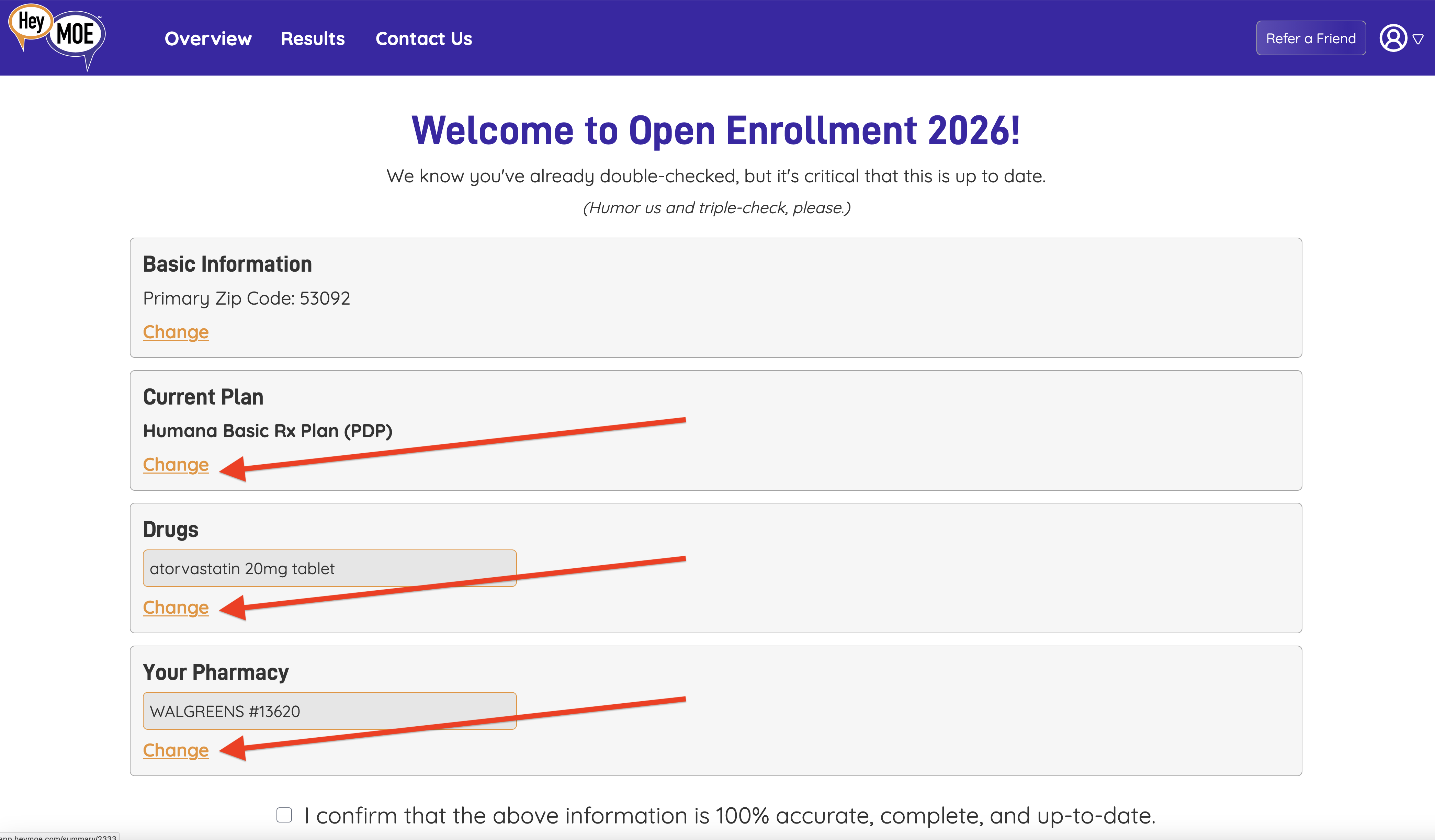
Then, once logged in, you'll be presented with a screen the allows you to double-check all the information you've previously entered into HeyMOE. If any of the information is incorrect, you can change it by clicking on the orange "Change" link beneath the element you need to change. (See the screenshot below)
Once you've made changes, click next through all of the next buttons until you finish updating your information. HeyMOE will automatically rerun your results during Medicare Open Enrollment.
Was this article helpful?
That’s Great!
Thank you for your feedback
Sorry! We couldn't be helpful
Thank you for your feedback
Feedback sent
We appreciate your effort and will try to fix the article